Laptop Overheat How To Solve? – Tips and Tricks Laptop
Electronic devices can develop problems at any time. Since a laptop is an electronic device, it is easy for problems to arise. Laptops can have various types of problems. If we have some knowledge about the problems, we won’t have to spend money by going to a laptop engineer. One of the issues with laptops is that they overheat while being used. One of the major issues with laptops is overheating during normal use.
This article offers solutions for those who notice their laptop heating up while checking it, or for those who have purchased a used laptop and find it overheating during use.
How To Solve – Tips and Tricks Laptop
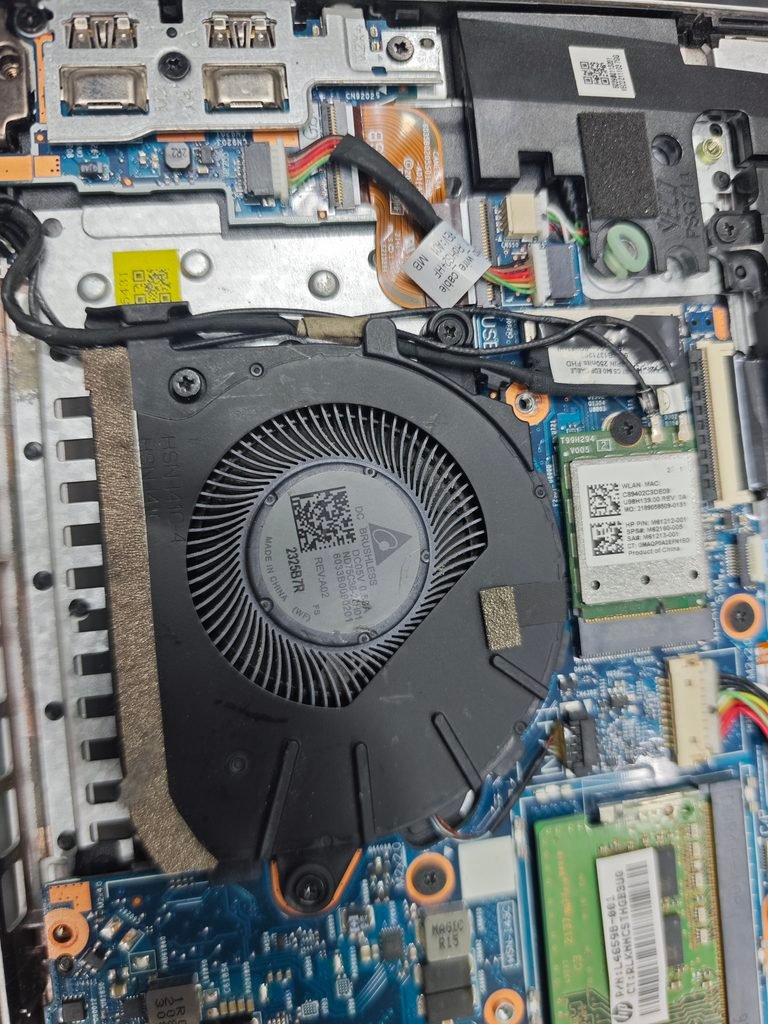
Laptop Cooling Fan Problem
If you have been using your laptop for a long time and suddenly notice that it is heating up during normal use, there is something you can do. You will open your laptop in the back part. You will also see a fan designed to expel the hot air generated inside the laptop. I have provided a picture above showing what the fan looks like.
You can take a look if you wish. The name of this fan is Laptop cooling fan. If dirt accumulates in this fan, it cannot spin. As a result, the hot air generated inside the laptop cannot escape, causing the laptop to heat up during normal use. Therefore, carefully remove the laptop fan and clean it with a brush. If you buy a used laptop and encounter this type of problem, you can try following the information I’ve provided; hopefully, the issue will be resolved.
STEP – 2
Laptop Processor Section
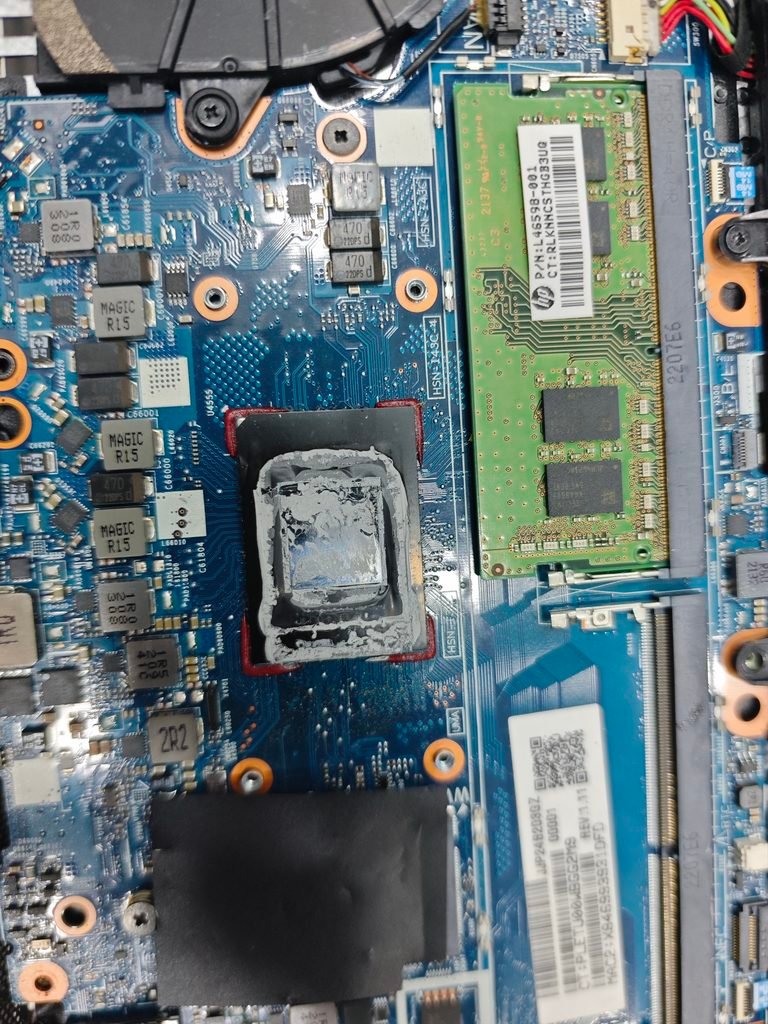
Laptop Processor Stan
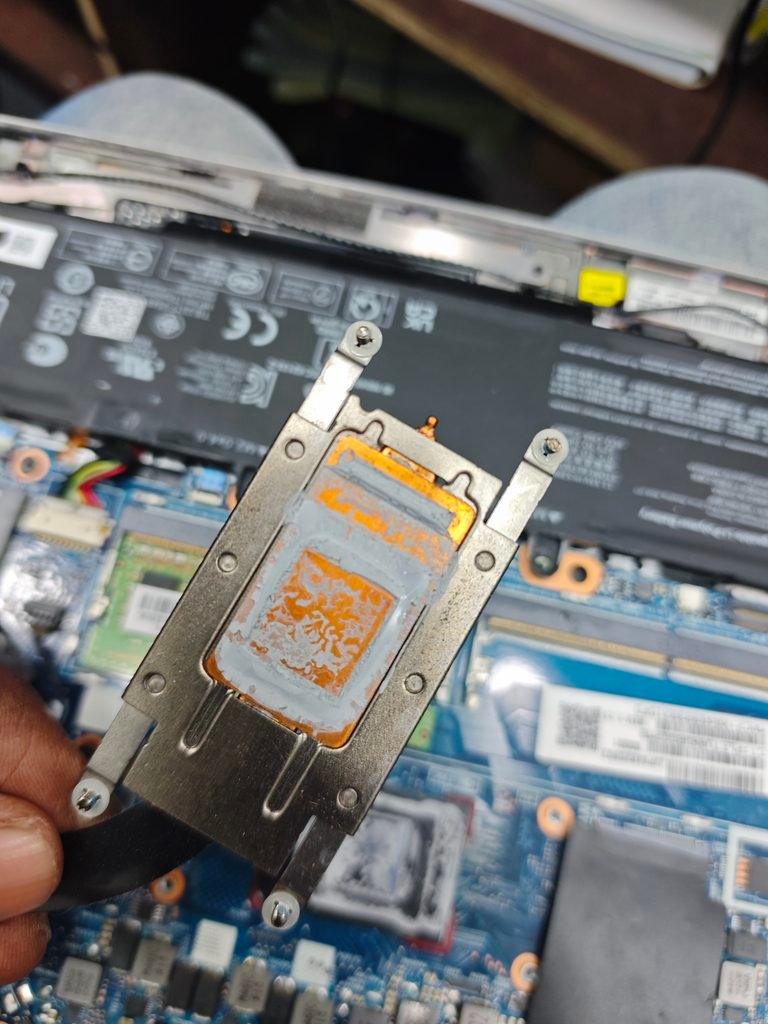
The laptop is overheating even during routine use or while watching videos. And if you open the laptop casing and check the cooling fan, and find that it is in good condition and free of dirt, what should you do then laptop overheat?
Thermal paste is applied to the processor, where it is mounted in the laptop to ensure it functions correctly and does not overheat. You can take a close look at the image provided above to easily understand the process. If the thermal paste dries out, the laptop will overheat and slow down. Therefore, check whether the thermal paste is in good condition. If it has dried up, reapplying thermal paste to the designated area will resolve the issue.
Note – Laptop Overheat/Tips and Tricks Laptop
Laptops can overheat for various reasons. I am sharing two solutions with you here, as many of us are unaware of these issues and often worry about what might be wrong with our laptops. The two problems I have highlighted are the most common ones. I hope the laptop tips and tricks I’ve shared will be very helpful to you.
Laptop Cooling Fan and Processor Sector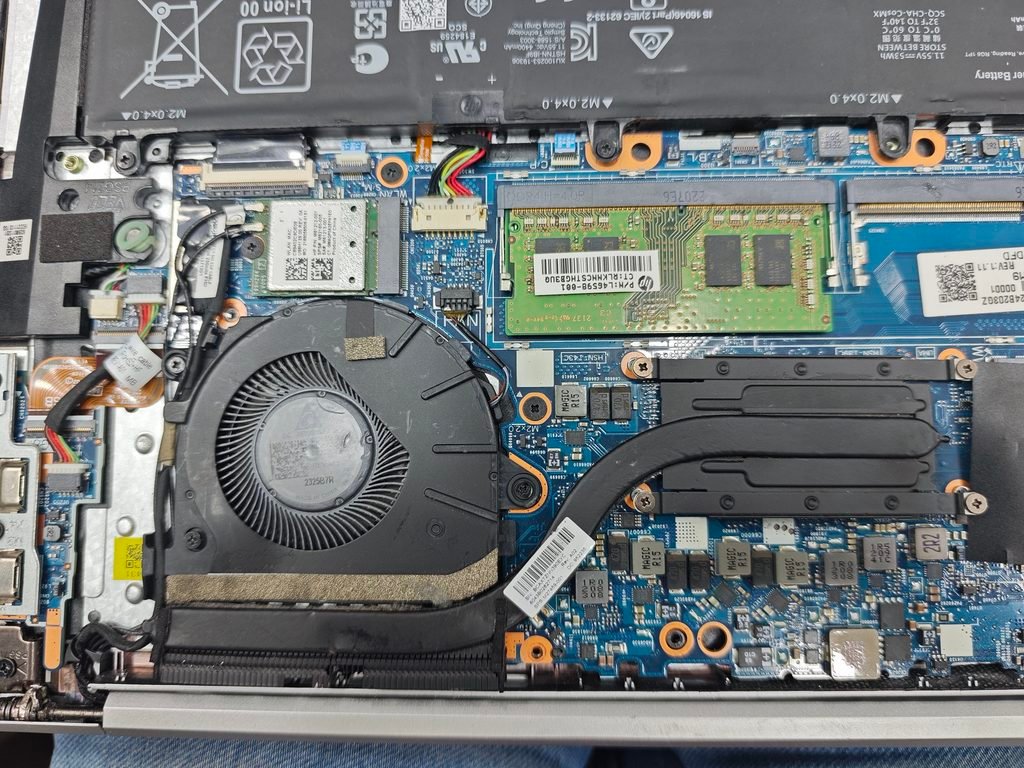
Pingback: Lenovo ThinkPad X13 Yoga Gen 3 Laptop – Detailed Photos & Features - BEST CHOICE AREA